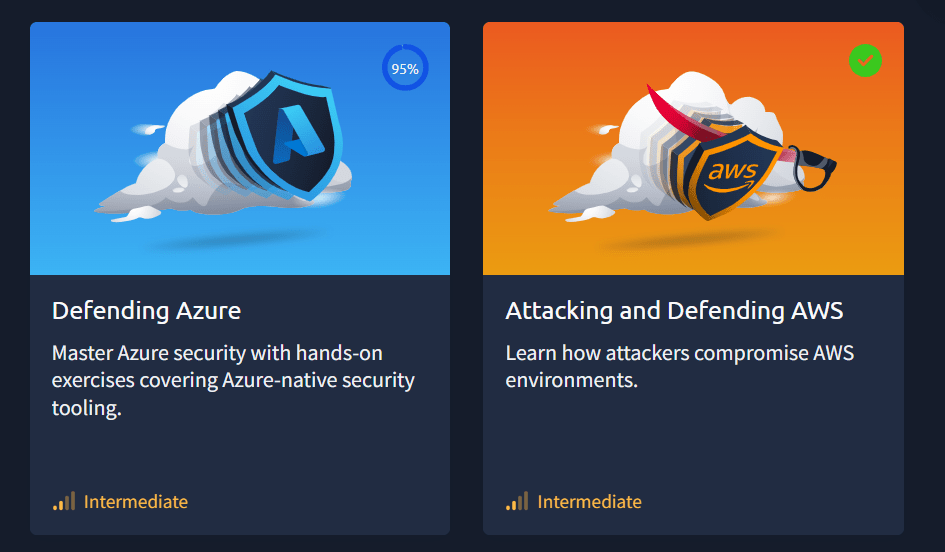
THM have become the definitive training provider for Cyber Security, they have certainly won the popularity contest while also delivering insane amount of content and great value. That is, until you want to do their cloud training on AWS and Azure, where you must pay $329 USD ON TOP OF your annual subscription for this extra content. So, is it really worth it?
What’s included– The cloud Addition is a separate 3 month – one off payment to get access to the range of cloud labs on Try Hack me, This includes 17 AWS Labs and 16 Azure Labs for a total of a bonus 33 Labs that are not accessible without this addon
So my first impressions were quite typical– This is all the same THM experience, all in their lab format, paths and modules. Jumping into the AWS rooms first, it was a gentle ramp up and complete introduction to AWS. I found most of the labs were very hand “holdy”, explaining the concepts well, it was a bit slow for my liking as I already have a lot of AWS experience but no formal training, so its good to recap basics.
For Azure you jumped in a bit quicker and started configuring MS Sentinel straight away, this wasn’t tough by any means.
What I liked instantly was that I had my own cloud environments to play around with, the AWS environment was permanent, however the Azure Environments are only alive for an hour at a time.
Depth & Breadth of Content –
For AWS as I mentioned you jump straight in and learn all the basic concepts, like EC2, VPCs, IAM, Lambda and S3. None of this was overly difficult with the exception of one lab that was a bit messy. It didn’t cover a wide range of attack or defence techniques. But the ones It did cover, they modelled it on an actual data breach, which I felt was quite a nice way of approaching it. That being said however, the AWS path didn’t go overly wide or deep, it was a couple of attack vectors and how to defend against them. Probably something you could learn on YouTube of free resources, however you do get access to the lab to play around yourself.
Azure – covers about 70% of the SC200 course so a good compliment to get hands on, You spend a lot of time configuring MS Sentinel and getting comfortable and familiar with the KQL query language used in the MS Sentinel SIEM as well as hands on experience with defender XDR where you have to detect a bunch of different activity. Then we have a few challenges as well as getting familiar with Azure DevOps.
Hands-On Labs & Realism –
AWS – As mentioned these labs were built off actual breaches which gives it a sense of realism. What is great is that THM have a bunch of auto-configure scripts for each lab to get the environment is the exact state before you start the lab.
Azure – Is a similar experience, you get the real azure portal to work on your tasks. Mist labs require you to first start the lab and then deploy it, which takes a good amount of time. Azure labs only are alive for an hour, more than enough time to do the work considering the hands on is very minimal
Quality of Instruction – This is just like every other THM lab, often they’re written well with some comprehension questions along the way and then lab questions as you progress.
I found that in both paths, 80% of the questions were comprehension-based questions. Rarely did I actually have to attack or configure something well to be able to get the answer, I suspect this is because its hard to get answers for dynamic environments such as these where they lack the full control.
Then, there are broken labs. I came across 1-2 in AWS that just were fundamentally broken. And A good section of the Azure labs were broken. And by Broken I mean literally un-complete-able. Azure has labs have the problem of functionality being moved from Azure Portal to Defender, then the account they give you does not have the correct permission to use Defender. For Sentinel and SQL labs, many of them did not have the data there, even after waiting double the time to deploy the lab. But as these were mostly comprehension questions, it can be answered without even having to do the lab. Which defeats the purpose of the hands on labs.
Cost vs. Value – I see many in the community complain about how expensive this is and they’re not wrong. $329 USD on top of your premium subscription is not a cheap price and while many reasonable people understand that you’re paying for a cloud tenancy on top, you may still question is this really worth it?
Well, the way you consume AWS resources, you would probably be spending no more than $30 for the 3 months and that is being generous.
Azure is much more difficult to calculate – The environment you get is closely equivalent to about an E5 License which runs at about $55 Per User Per Month, However Microsoft sell training to test environments for about $26 per month per user to individuals. I imagine there would be some wholesale agreement here reducing costs to THM further.
So Costs for running both of these environments are hard to calculate, so if we use estimates we’re looking at about maybe $100 for the 3-months. So it does seem like there could be generous margin here for THM.
So then lets talk Comparisons – we’re talking about a bit of money here, if you’re on a budget should you do this or something else? Well both official Azure and AWS training resources are free to learn and your own AWS account will probably cost you very little due to free tier and free resources. A Microsoft training environment will set you back about $25 a month. However in both of these scenarios, the environment is not configured for you. You could make the argument that configuring it yourself will make you learn more however. CloudGoat and AzureGoat can also do a lot of the heavy lifting here too.
When comparing against other training programs, this course will cover
- About 60% of the AWS Security Speciality course
- About 80% of the Azure SC-200 course
For training materials specifically on attacking, It seems like HackTricks Cloud Hacking courses for AWS, GCP and Azure would be far more comprehensive, however comes at a significant cost of over $1,000USD, or pwnLabs which has a smaller catalogue but pretty cost effective at $20USD / Month
Pros and Cons–
- Easy to get started and hands on experience with AWS and Azure, fast
Cons
- Really surface level, does not go into the depths
- Expensive
- SC200 and AWS Security will cover more ground for cheaper.
- Broken labs
- Mostly comprehension exercises, hands on is very minimal
And now for the bottom line The strength of cloud addon is its simplicity in getting started and learning on a familiar platform. You can get started extremely quickly and you don’t need to do research in getting education accounts for AWS and Azure. But that’s where the good ends.
That being said this convenience comes at a premium which is hard to justify considering the value that is returned to the student. Based on my resource I’d think a price point of $60 would be much more appropriate for the content.
If you’re serious about cloud training it would be wise to seek our the SC200 And AWS Security Speciality to save money and get better training, if you’re attack focused than Hack Tricks or PwnLabs cloud courses are a much better option.
I cannot recommend this add-on to anyone. The quality of the labs are so bad, minimal hands on in favor of comprehension quality and literally broken labs with no fix or even acknowledgment. This was a real grind to get through and I wish I could get my money back.
 { JSON:SEC }
Leave a comment