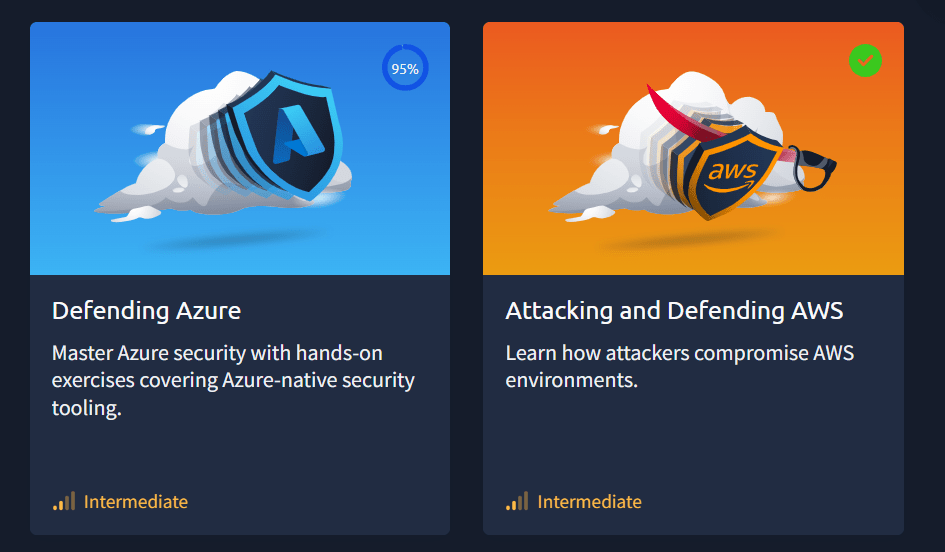
• THM have become the definitive training provider for Cyber Security, they have certainly won the popularity contest while also delivering insane amount of content and great value. That is, until you want to do their cloud training on AWS and Azure, where you must pay $329 USD ON TOP OF your annual subscription for this extra content. So, is it really worth it?

    What’s included–  The cloud Addition is a separate 3 month – one off payment to get access to the range of cloud labs on Try Hack me, This includes 17 AWS Labs and 16 Azure Labs for a total of a bonus 33 Labs that are not accessible without this addon

    So my first impressions were quite typical–  This is all the same THM  experience, all in their lab format, paths and modules. Jumping into the AWS rooms first, it was a gentle ramp up and complete introduction to AWS. I found most of the labs were very hand “holdy”, explaining the concepts well, it was a bit slow for my liking as I already have a lot of AWS experience but no formal training, so its good to recap basics.

    For Azure you jumped in a bit quicker and started configuring MS Sentinel straight away, this wasn’t tough by any means.

    What I liked instantly was that I had my own cloud environments to play around with, the AWS environment was permanent, however the Azure Environments are only alive for an hour at a time.

    Depth & Breadth of Content

    For AWS as I mentioned you jump straight in and learn all the basic concepts, like EC2, VPCs, IAM, Lambda and S3. None of this was overly difficult with the exception of one lab that was a bit messy. It didn’t cover a wide range of attack or defence techniques. But the ones It did cover, they modelled it on an actual data breach, which I felt was quite a nice way of approaching it. That being said however, the AWS path didn’t go overly wide or deep, it was a couple of attack vectors and how to defend against them. Probably something you could learn on YouTube of free resources, however you do get access to the lab to play around yourself.

    Azure – covers about 70% of the SC200 course so a good compliment to get hands on, You spend a lot of time configuring MS Sentinel and getting comfortable and familiar with the KQL query language used in the MS Sentinel SIEM as well as hands on experience with defender XDR where you have to detect a bunch of different activity. Then we have a few challenges as well as getting familiar with Azure DevOps.

    Hands-On Labs & Realism

    AWS – As mentioned these labs were built off actual breaches which gives it a sense of realism. What is great is that THM have a bunch of auto-configure scripts for each lab to get the environment is the exact state before you start the lab.  

    Azure – Is a similar experience, you get the real azure portal to work on your tasks. Mist labs require you to first start the lab and then deploy it, which takes a good amount of time.  Azure labs only are alive for an hour, more than enough time to do the work considering the hands on is very minimal

    Quality of Instruction – This is just like every other THM lab, often they’re written well with some comprehension questions along the way and then lab questions as you progress.

    I found that in both paths, 80% of the questions were comprehension-based questions. Rarely did I actually have to attack or configure something well to be able to get the answer, I suspect this is because its hard to get answers for dynamic environments such as these where they lack the full control.

    Then, there are broken labs. I came across 1-2 in AWS that just were fundamentally broken. And A good section of the Azure labs were broken. And by Broken I mean literally un-complete-able. Azure has labs have the problem of functionality being moved from Azure Portal to Defender, then the account they give you does not have the correct permission to use Defender. For Sentinel and SQL labs, many of them did not have the data there, even after waiting double the time to deploy the lab. But as these were mostly comprehension questions, it can be answered without even having to do the lab. Which defeats the purpose of the hands on labs.

    Cost vs. Value –  I see many in the community complain about how expensive this is and they’re not wrong. $329 USD on top of your premium subscription is not a cheap price and while many reasonable people understand that you’re paying for a cloud tenancy on top, you may still question is this really worth it?

    Well, the way you consume AWS resources, you would probably be spending no more than $30 for the 3 months and that is being generous.

    Azure is much more difficult to calculate – The environment you get is closely equivalent to about an E5 License which runs at about $55 Per User Per Month, However Microsoft sell training to test environments for about $26 per month per user to individuals. I imagine there would be some wholesale agreement here reducing costs to THM further.

    So Costs for running both of these environments are hard to calculate, so if we use estimates we’re looking at about maybe $100 for the 3-months. So it does seem like there could be generous margin here for THM.

    So then lets talk Comparisons  – we’re talking about a bit of money here, if you’re on a budget should you do this or something else? Well both official Azure and AWS training resources are free to learn and your own AWS account will probably cost you very little due to free tier and free resources. A Microsoft training environment will set you back about $25 a month. However in both of these scenarios, the environment is not configured for you. You could make the argument that configuring it yourself will make you learn more however. CloudGoat and AzureGoat can also do a lot of the heavy lifting here too.

    When comparing against other training programs, this course will cover

    • About 60% of the AWS Security Speciality course
    • About 80% of the Azure SC-200 course

    For training materials specifically on attacking, It seems like HackTricks Cloud Hacking courses for AWS, GCP and Azure would be far more comprehensive, however comes at a significant cost of over $1,000USD, or pwnLabs which has a smaller catalogue but pretty cost effective at $20USD / Month

    Pros and Cons

    • Easy to get started and hands on experience with AWS and Azure, fast

    Cons

    • Really surface level, does not go into the depths
    • Expensive
    • SC200 and AWS Security will cover more ground for cheaper.
    • Broken labs
    • Mostly comprehension exercises, hands on is very minimal

    And now for the bottom line The strength of cloud addon is its simplicity in getting started and learning on a familiar platform. You can get started extremely quickly and you don’t need to do research in getting education accounts for AWS and Azure. But that’s where the good ends.

    That being said this convenience comes at a premium which is hard to justify considering the value that is returned to the student. Based on my resource I’d think a price point of $60 would be much more appropriate for the content.

     If you’re serious about cloud training it would be wise to seek our the SC200 And AWS Security Speciality to save money and get better training, if you’re attack focused than Hack Tricks or PwnLabs cloud courses are a much better option.

    I cannot recommend this add-on to anyone. The quality of the labs are so bad, minimal hands on in favor of comprehension quality and literally broken labs with no fix or even acknowledgment. This was a real grind to get through and I wish I could get my money back.
  • Intro

    I’ve worked in Cyber Security for about 8 years out of my 12-year IT career. So I thought it might be helpful to recap the certificates I’ve done to go from Performance Engineer to Security Manager during that time.

    This isn’t just a list of exam-based certifications. I’ve also included courses that don’t have exams because, at the end of the day, learning is for you. While certifications can help demonstrate your knowledge, what matters most is that you’re actually growing.

    Let’s kick off with the very beginning.


    Bachelor of IT

    This 3-year degree set me back about $30k AUD and covered the basics: programming, networking, math, system design, and more. While the content itself wasn’t worth the time or financial investment in hindsight, it was a crucial step in starting my career. Less important now, but at the time, necessary.


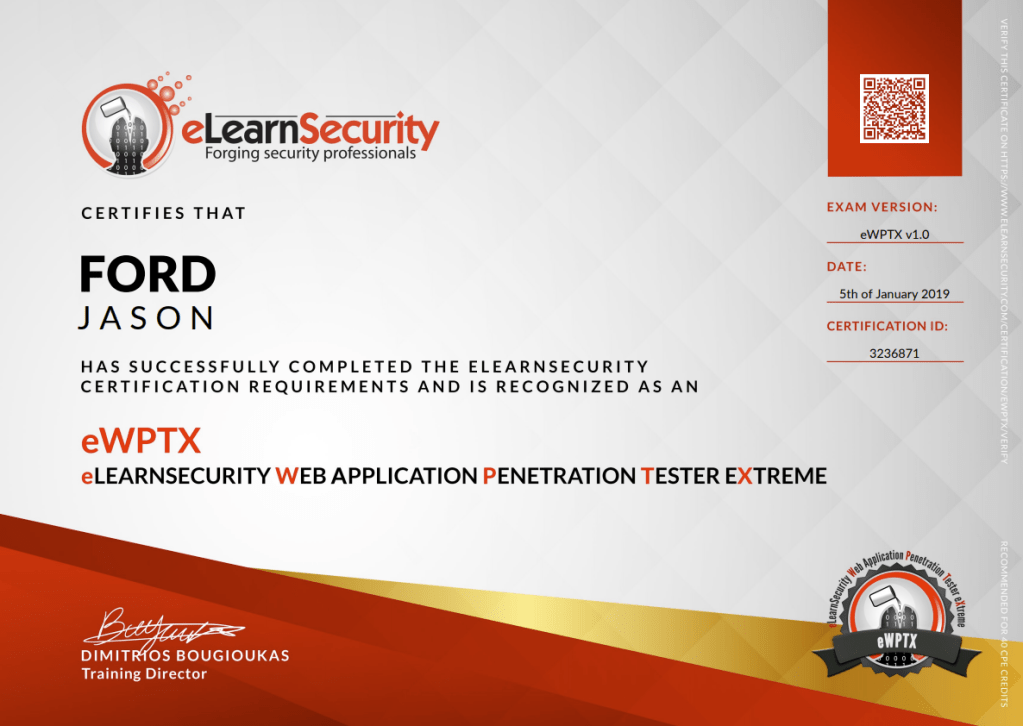
    2018: eWPTX – Web Application Penetration Testing Extreme (INE)

    Probably a bad move going straight into this one. I wanted a challenge, but I skipped a lot of prerequisite knowledge I had to fill in myself. The course focused on filter evasion for common web attacks. It was arbitrarily difficult at times, but it really forced me to think outside the box. A tough but doable exam.


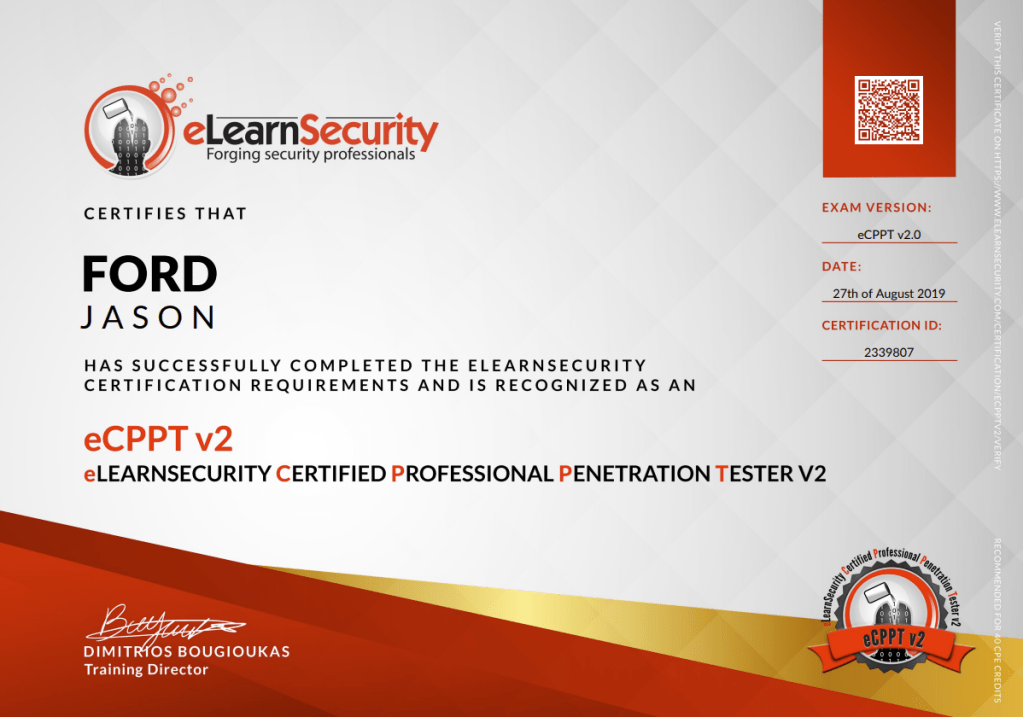
    2019: eCPPT – Penetration Testing Professional (INE)

    This was a great course. It covered everything from start to finish: network, system, and web basics. It solidified my understanding of pen testing fundamentals. Challenging but not overwhelming.


    2020: OSCP – Offensive Security Certified Professional (OffSec)

    What more can I say? OSCP was the definitive certificate at the time. It pushed me hard and sharpened my skills. I wasn’t a fan of the “try harder” culture, but the process helped me develop a solid workflow and a deeper understanding of exploitation and post-exploitation.


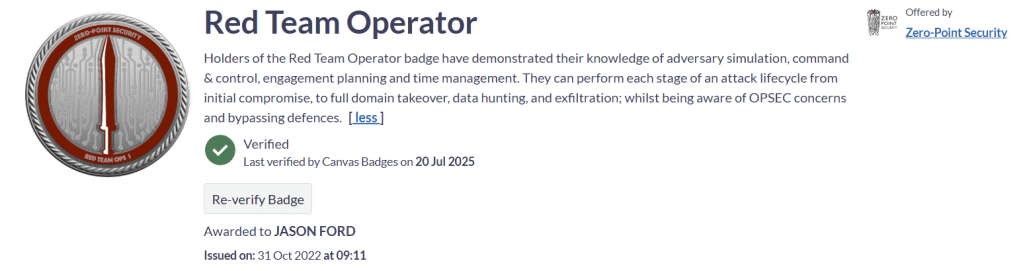
    2022: CRTO – Red Team Operator (Zero-Point Security)

    PTSD from OSCP made me take a two-year break from studying, but CRTO was a brilliant way back in. It deepened my red teaming skills, especially around Active Directory. What I really appreciated was how it approached OPSEC and gave insight into how defenders think. Highly recommend for aspiring red teamers. The exam was straightforward but still challenging.


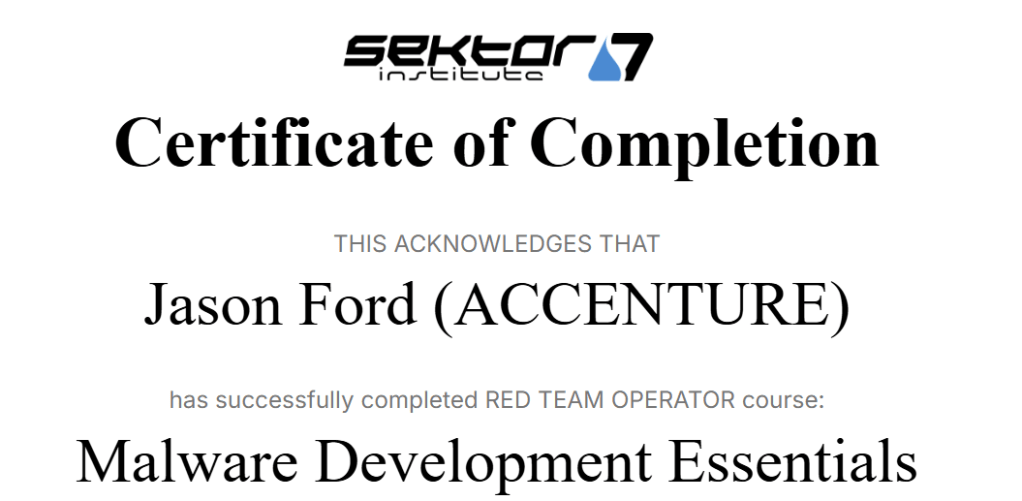
    2023: Sektor7 – Malware Development Essentials and Intermediate

    I’d heard good things about Sektor7 and they didn’t disappoint. These courses focus on malware development and obfuscation techniques. Great content for learning how to bypass EDR, and I liked that you get a standalone VM and course material you own forever. No subscription needed.


    2024: Red Team Ops II – Zero-Point Security

    After another break, I picked up Red Team Ops II. While detailed and technically solid, it didn’t quite have the magic of the first. It leaned more into implant development, which isn’t my focus. I skipped the exam but still found value in the content, especially for those going deeper into tooling and evasion.


    2024: Enterprise Defense Administrator (INE)

    After years of working defensively, I wanted a formal perspective on blue team strategy. The course covered the essentials of defensive security. I didn’t learn a whole lot, but it was helpful to see how defenders structure their approach. The exam was basic and I passed without needing to study.


    2024: HTB Dante Pro Lab

    While not a course in the traditional sense, HTB’s pro labs give you a cert of completion. Dante is beginner-friendly and reminded me of OSCP’s PWK labs. Multiple network segments, pivoting, and light exploit dev. It was fun, but I didn’t learn anything groundbreaking.


    2024: eCTHP and eCIR – INE

    I took these to sharpen my blue team skills. Both focused heavily on SIEMs (Splunk and ELK), and eCTHP had some light memory forensics. Great for learning threat hunting and IR workflows. I didn’t take the exams because the course updates never landed during my subscription.


    2025: eDFCP – Digital Forensics Professional (INE)

    I tackled this next as INE’s hardest defensive cert. The course delivery is starting to show its age with too much PowerPoint, but the content was still good. I learned a lot about disk forensics and Windows artifacts. Oddly, memory forensics wasn’t included. The exam was tough but manageable. I made it harder than it needed to be by neglecting the timelining section.


    2025: TryHackMe – SOC1, SOC2, Security Engineer, and DevSecOps Paths

    After getting fed up with outdated INE content, I decided to try TryHackMe’s more modern paths. These were a great mix of educational material, hands-on labs, and challenges. SOC1 in particular stood out for its structure and content. I didn’t do the cert exams. I just wanted the knowledge. The SOC simulator was a fun bonus.


    2025: TryHackMe – Offensive Paths

    To keep my offensive skills sharp and assess the value for others, I completed THM’s offensive learning paths. The Junior Pen Tester path was solid for beginners, but not enough to solve CTFs solo. The web paths lacked depth and challenge. The Red Team path mirrored the CRTO syllabus but didn’t have the same impact. These could benefit from more hands-on challenges to lock in the learning.


    2025: TryHackMe – PreSecurity and Security 101 Paths

    Honestly, I did these for the dopamine hits. The content wasn’t a challenge, but I’m a big believer in revisiting the basics. Great starter content for anyone breaking into cyber, and it never hurts to reinforce good habits.


    So What’s Next?

    I’ll stick with TryHackMe a little longer to finish off the AWS and Azure add-on content and see if they’re worth the cost. After that, I’m considering CISSP or CISM as I move deeper into security management. Architecture, strategy, and leadership are becoming more of a focus.

    I’d also like to spend more time experimenting with less spoonfed content. I want to make more things, break more things, and keep enjoying the ride.


    Final Thoughts

    The best learning platform is the one you actually enjoy. If it’s fun, you’ll stick with it. Certifications are useful, but don’t chase paper for its own sake. Challenge yourself, fail fast, learn, and keep going.

  • Responsible Disclosure: INE Skilldive Solutions Publicly Accessible via IDOR

    Overview

    In March 2025, I discovered that lab solution PDFs on INE’s Skilldive platform (Formally PenTester Academy) could be accessed without authentication, simply by modifying a number in the URL. These appeared to be detailed walkthroughs for INE’s Cyber Security SkillDive labs.

    I disclosed the issue to INE in good faith. After reviewing, they responded that the documents were intentionally public, describing them as legacy material from a pre-acquisition period, makes sense as all newer labs have the solutions on the web page, not as a PDF.

    If that’s the case, then there’s no issue, anyone is apparently welcome to download the full set of lab solutions.


    Vulnerability Summary

    • Issue Type: Insecure Direct Object Reference (IDOR)
    • URL Format: https://assets.ine.com/labs/ad-manuals/walkthrough-<ID>.pdf
    • Authentication Required: ❌ No
    • Range Identified: walkthrough-1.pdf to walkthrough-2420.pdf
    • Observed Content: SkillDive lab walkthroughs

    Reproduction Steps

    1. Visit:
      https://assets.ine.com/labs/ad-manuals/walkthrough-1151.pdf
    2. Increment or decrement the ID in the URL:
      • walkthrough-1152.pdf
      • walkthrough-1153.pdf
      • … and so on
    3. Files are served without any login or authorization checks.

    INE’s Response

    “The report has been looked at by our infrastructure team and it was concluded that the files that are fed from that URL were put there to be publicly available.”

    “I have also reviewed a couple of the PDFs and it does appear to be walkthroughs for legacy practice labs from Pentester Academy before the INE acquisition.”

    Given that, it seems these solutions are available for anyone to download, no subscription required.


    Reflections

    While you don’t get access to the labs, the materials still appear valuable, especially for learning new things. Whether it was intentional or a legacy oversight, it’s a good reminder for security teams to review public asset exposure, particularly when dealing with acquisitions and inherited infrastructure.

    Either way, if it’s not considered an issue, enjoy the walkthroughs.


    Automated POC

    I wrote a simple POC which you can grab from my github, this will iterate through and grab all the solutions

    https://github.com/jsonsec/INE-Skilldive/blob/main/GetSkillDiveSolutions.py

    Disclosure Timeline

    DateAction
    20 Mar 2025Initial responsible disclosure sent to INE
    8 Apr 2025Follow-up email sent
    8 Apr 2025INE response: “Legacy writeups – not an issue”
    26 June 2025Public Disclosure

    Enjoy

  • Building your Kali-Windows VM Without WSL

    Are you a fan of the powerful tools that Kali Linux offers but prefer working in a Windows environment? In this tutorial, I’ll guide you step-by-step on how to create a Windows VM with all the tools you need for ethical hacking and cybersecurity research. By the end, you’ll have your own Windows-based virtual machine, loaded with tools such as Metasploit, Nmap, Wireshark, and many others—transforming it into a powerhouse similar to Kali Linux.

    Why Build a Kali Windows VM?

    Kali Linux is often seen as the go-to operating system for penetration testers and ethical hackers due to its wide range of built-in security tools. However, some people prefer the familiarity and compatibility of the Windows environment. By creating a Kali-like Windows VM, you can enjoy the best of both worlds: the usability of Windows combined with the powerful toolset available in Kali.

    This guide is perfect for penetration testers, security researchers, and ethical hackers who want to create a Windows lab to perform their testing in a Windows-native environment.

    Tools You’ll Be Installing:

    • Metasploit: For penetration testing and vulnerability scanning.
    • Nmap: A powerful network scanning tool.
    • Wireshark: Network packet analyzer.
    • FlareVM: An open-source toolkit with an arsenal of tools specifically for malware analysis and reverse engineering.

    Prerequisites

    Before we begin, make sure you have the following:

    Step-by-Step Guide to Building Your Kali Windows VM

    Let’s get into the details. I’ll walk you through how to set up the environment, download the necessary tools, and configure everything to create your own hacking lab.

    Step 1: Disable All Security Controls

    To get started, you need to disable all Windows security controls (Windows Defender, firewall, etc.) to avoid any interference during tool installation. This is crucial because many of the tools we’ll be using may trigger security alerts.

    Open PowerShell with administrative privileges and run the following command to disable all security controls:

    iex ((New-Object System.Net.WebClient).DownloadString('https://raw.githubusercontent.com/jsonsec/WindowsSoftening/main/WinSoft.ps1'));
    

    This script disables real-time protection and Windows firewall rules to ensure smooth installation and functioning of the tools. Remember to reenable Defensive controls and whitelist your tools directories

    Step 2: Download and Install FlareVM

    FlareVM is a fantastic package developed by Mandiant that will transform your Windows VM into a penetration testing and malware analysis workstation, much like Kali Linux.

    Then download the FlareVM installer script using:

    (New-Object net.webclient).DownloadFile('https://raw.githubusercontent.com/mandiant/flare-vm/main/install.ps1',"$([Environment]::GetFolderPath("Desktop"))\install.ps1")
    

    Next, unblock the downloaded script to ensure Windows can execute it:

    Unblock-File .\install.ps1
    

    Step 3: Install FlareVM

    Now, run the FlareVM installation script:

    .\install.ps1 -NoPassword
    

    The installation process will download and install a variety of hacking and security tools automatically. It might take some time, so be patient. Once complete, you’ll have a robust Windows hacking environment!

    Step 4: Be Patient

    This takes quite a bit of time and your machine will reboot at least once during the set up process. Just keep an eye on it but go enjoy your day.

    Final Thoughts

    Creating a Kali-like Windows VM gives you the flexibility of Windows while maintaining access to essential ethical hacking and cybersecurity tools. This tutorial covered how to build a powerful Windows lab environment using FlareVM and other essential tools.

    Once set up, your VM will serve as a versatile tool for penetration testing, security assessments, malware analysis, and more. Whether you’re a beginner or an experienced ethical hacker, this custom Windows VM will streamline your workflow and offer the best of both worlds.

    Happy hacking!

    Useful Links


    This guide should help you create an effective Windows-based environment that mimics the capabilities of Kali Linux. Feel free to share your results or ask any questions if you run into issues along the way!

  • In-Depth Review of Sektor 7’s Malware Development Introduction Course

    Introduction

    Are you eager to learn how to write malware? For research purposes, of course! If you’re looking to dive into the world of malware development, Sektor 7’s Malware Development Introduction Course might be just what you need. In this review, we’ll take an in-depth look at what this course offers, including its content, structure, pricing, and overall value. Whether you’re new to malware development or looking to sharpen your existing skills, this review will help you decide if Sektor 7 is the right choice for you.

    About Sektor 7 & the Malware Development Introduction Course

    Sektor 7 is a relatively new player in the cybersecurity training space, offering a unique approach to learning compared to the industry giants. Unlike other platforms that might overwhelm you with complex lab environments and advanced tools, Sektor 7 focuses on delivering exactly what it promises—no more, no less.

    The Malware Development Introduction Course covers essential topics that form the backbone of malware creation and analysis. Here’s a snapshot of what you’ll learn:

    • The fundamentals of malware development
    • PE file structure and how to manipulate it
    • Techniques for storing payloads within PE files
    • Methods for encoding and encrypting payloads
    • How to obfuscate function calls effectively
    • Strategies for backdooring programs
    • Code injection into remote processes

    The course is designed to be highly practical, with clearly spoken 1080p tutorial videos, text supplements complete with source code, downloadable files, and a pre-configured virtual machine (VM) for hands-on practice. The lab sessions are structured in a follow-along style, where each lesson builds upon the previous one, ensuring a coherent learning experience.

    Learning Objectives and Skills Acquired

    This course is packed with valuable skills for anyone looking to understand how malware works at a deep level. By the end of the course, you’ll have a solid grasp of how binary executables function and how malware manages to evade detection by its targets. The course is particularly suitable for those who already have some knowledge of operating system architecture, Windows OS, and basic programming in C and Intel assembly.

    While the official prerequisites list includes a basic understanding of C, Windows OS experience, and familiarity with VirtualBox, a stronger foundation in C programming will make the course much easier to navigate. Some of the final exercises may be challenging, but they provide a great opportunity to apply everything you’ve learned. And yes, a little help from tools like ChatGPT can come in handy when debugging tricky issues.

    Course Delivery and Support

    One of the standout features of Sektor 7’s course is its simplicity and focus. Unlike other platforms that might require you to schedule lab hours or maintain a VPN connection, this course is straightforward—just you, the lessons, and a VM to experiment with. This simplicity fosters creativity and allows you to focus entirely on learning without worrying about other logistics.

    However, there is a notable downside: the course material is only accessible for 12 months after purchase. If you want to revisit the content later, you’ll need to repurchase the course. While this may be understandable from a small course provider’s perspective, it’s something to consider when deciding whether to enroll.

    Pricing and Value for Money

    At first glance, Sektor 7’s Malware Development Introduction Course seems like a great deal at $199 USD. But keep in mind, this is just the beginning. To gain a comprehensive understanding of malware development, you might want to explore their Intermediate, Advanced, and Evasion courses, which bring the total cost to $919 USD. While still competitive compared to industry giants, the total cost may be higher than expected.

    It would be great to see Sektor 7 offer bundled pricing for these courses, making it a more attractive option for those serious about delving deep into malware development.

    Pros and Cons

    Pros:

    • Clear and concise instruction
    • Good value for a niche course
    • Straightforward learning experience with a single course and VM

    Cons:

    • Leads to additional costs for advanced courses
    • No lifetime access—limited to 1 year

    Conclusion

    Sektor 7’s Malware Development Introduction Course is an excellent starting point for anyone interested in learning about malware development. It’s a focused, well-structured course that equips you with the foundational knowledge needed to progress to more advanced topics. While it’s unfortunate that the course material is only accessible for a year, the overall value and quality make it a worthwhile investment for those serious about cybersecurity.

    If you’re considering diving into this course, make sure to take detailed notes and maximize your learning during the 12-month access period. With its narrow focus and practical approach, this course provides a solid launch pad for your malware development journey


    FAQs

    Is Sektor 7’s Malware Development Introduction Course suitable for beginners?

    • Yes, it’s ideal for those with a basic understanding of operating systems and programming, especially in C.
    1. How long does it take to complete the course?
    • The course is relatively short and can be completed in a few days, depending on your pace.
    1. Do I need prior programming knowledge to take this course?
    • Yes, a basic understanding of C programming is recommended.
    1. What happens if I need access to the course material after 12 months?
    • You would need to repurchase the course to regain access.
    1. Is there any hands-on practice in the course?
    • Yes, the course includes practical exercises using a pre-configured virtual machine.

  • CRTO2 Review: A Deep Dive into Red Team Ops Part 2

    In the ever-evolving world of cybersecurity, advancing your skills often means investing more time and money into courses that promise high-quality training but come with gruelling conditions—both during the course and the exam. However, there are industry challengers striving to offer excellent education at a more accessible price point, focusing on learning rather than just surviving the process. Zero Point Security’s Red Team Ops Part 2 is one such course, and in this review, we’ll explore the syllabus, lab, and exam to determine whether it’s a good step for you in your red teaming journey.

    Course Overview

    I completed Red Team Ops Part 1 about 18 months ago, and I loved it so much that I always planned to take Part 2 when I had the time. Luckily, Daniel from Zero Point Security reached out and provided me with free access to the course for this review. So, thanks, Dan!

    Red Team Ops Part 2 covers several advanced topics:

    • Setting up your C2 infrastructure in a secure and OPSEC-safe way
    • A detailed look into how Windows internals work with the WinAPI
    • Performing process injections
    • Understanding defenses and how to evade them
    • Reducing your attack surface and additional evasion techniques

    The course offers a linear progression in complexity, making it relatively easy to follow, though some sections—particularly the Windows API and process injection modules—can be challenging, especially if you don’t have a strong background in C++.

    As with CRTO1, this course is heavily focused on Cobalt Strike, which emphasizes the complexity of command and control (C2) frameworks. While many of these concepts can be adapted to other frameworks, some content is specifically tailored to Cobalt Strike, making it slightly less transferable.

    Prerequisites

    Before diving into this course, it’s essential to have:

    • Completion of CRTO1 or a strong foundation in Red Team operations
    • Experience with Cobalt Strike (from RTO1 or other sources)
    • Strong programming skills in C# or C++

    Course Delivery

    The course content is delivered through text-based material and a lab environment. The material itself is concise—84 pages of text on a learning platform—but the concepts are deep, meaning you’ll spend a significant amount of time working through them.

    The lab environment is a sandbox where you can apply the concepts learned in the course. It’s similar to the CRTO1 lab but even less sequential, allowing for more exploration and experimentation. The lab is hosted via Apache Guacamole, so it’s ready to use as soon as you start, and I experienced no latency issues accessing it from Australia.

    One of the standout features of Zero Point Security’s courses is that they frequently update the content over time, and your access to the material is perpetual—it won’t expire after a year or two.

    I also inquired about the lack of video content in this course, and Dan provided a valid explanation:

    “There are two main reasons why I prefer text over video. The first is from a creator perspective—they take much more time to produce, and they can’t be easily tweaked if you want to change something afterward. This makes providing course updates (for free) much less attractive. The second is from a consumer perspective—if I’m looking for a specific piece of information, I can just Ctrl+F and find it on a page. You can’t do that with video, which leaves you scrubbing backward and forward for ages. Given that course access is lifetime, the probability of people coming back to the content multiple times is quite high, and I personally feel that having majority text is more of a benefit than not. Obviously, I understand that people have different preferences, so I do try and provide videos where the effort makes sense to invest.”

    After completing the course, I agree. While videos could help introduce some of the more complex concepts, the text-based format works well, especially when revisiting the material.

    Exam Details

    Although I haven’t completed the exam yet, the general consensus is that it’s tough. You’ll need to reference concepts from both RTO2 and RTO1. The exam runs over 8 hours or 96 hours of runtime, whichever elapses first, allowing you to work at your own pace. To pass, you need to capture 5 out of 6 flags, and the exam is designed to be sequential.

    Your first exam attempt is included in the course cost, with additional attempts available for £99.

    Industry Recognition

    Zero Point Security is endorsed by several industry bodies, including:

    • CREST
    • Cobalt Strike
    • CBEST and CORIE frameworks for Red Teaming Financial Institutions

    As a hiring manager familiar with the qualification landscape, I hold this certification in high regard.

    Price Point

    The course offers several pricing options, depending on how long you need access to the lab:

    • £399 for the course only
    • £429 for the course + 30-day lab access
    • £459 for the course + 60-day lab access
    • £489 for the course + 90-day lab access

    If you sign up using the link in the description, you’ll directly support the channel. Additional lab hours can be purchased at very reasonable rates.

    My advice is to opt for the 60-hour bundle, which should give you ample time to complete the course. Additionally, setting up your own lab environment in parallel can help you dive deeper without worrying about running out of time.

    Pros and Cons

    Pros:

    • High-quality training materials that aren’t locked behind huge paywalls
    • Deepens a specific aspect of Red Team Ops significantly
    • Easy to get started and work through

    Cons:

    • Some video content to explain higher-level concepts with analogies or basic animations would be beneficial
    • Clearer prerequisites on the course page would help students prepare better before enrolling

    The Bottom Line

    Red Team Ops Part 2 is an excellent deep dive into C2 infrastructure and defense evasion. The course has a narrow focus but offers impressive depth. Completing this course will equip students with the skills needed to handle the C2 element within Red Teaming at a high level. These concepts are taught in great detail, and the price point is reasonable, making it a valuable investment for those serious about advancing in this field.

    If you enjoyed this review, please leave a comment, and feel free to share your thoughts or questions below. Stay tuned for more content, and I’ll see you in the next post!

  • Reviewing the INE Enterprise Defense Admin Course: Is It Worth It?

    Introduction

    When starting a career in cybersecurity, choosing the right certifications can be daunting. With so many options available, it’s easy to feel overwhelmed. Today, I’ll be diving into the INE Enterprise Defense Admin (eEDA) course—a comprehensive program designed for entry-level professionals. We’ll explore the course syllabus, content, pricing, and exam details. If you’re new here, don’t forget to hit like and subscribe. Let’s get started!

    Understanding the Syllabus

    I decided to take this course to fill any knowledge gaps I might have on the defensive side of cybersecurity. As a manager, my focus is typically on organizational strategy rather than the nitty-gritty of low-level exploits. Although the eEDA course is beginner-level, I wanted to ensure my foundation was solid before moving on to more advanced topics like Incident Response, Forensics, and Threat Hunting.

    Course Structure

    The eEDA course is geared towards individuals with little to no IT experience, though a technical mindset is essential to grasp the concepts. INE has structured this “Learning Path” into nine smaller courses, covering a wide range of topics:

    • Security Engineering and Change Management
    • Introduction to Security Hardening
    • Logging and Sensors
    • Identity and Access Management
    • Vulnerability Management
    • Governance, Risk, and Compliance (GRC)
    • Perimeter and Network Security Engineering
    • Security Architecture Design
    • Security Engineering for Business Operations

    This diverse set of topics provides a well-rounded introduction to defensive cybersecurity. Personally, I would have liked to see a module on Penetration Testing, which would offer valuable insights into offensive tactics that could enhance defensive strategies—but that might just be my bias showing.

    Deep Dive into the Course Content

    The eEDA course is extensive, with a wealth of material to cover:

    • 51 hours of video content: Spread across 123 high-quality, professionally produced videos in 1080p resolution, with options to speed up playback.
    • 86 quizzes: Each consisting of two questions, designed to reinforce learning.
    • 6 labs and 1 sandbox: Labs come with a lab guide video and are nearly identical to the lab tasks themselves.
    • eEDA certification: More on this later.

    At 51 hours, this course is a significant commitment. I found it helpful to listen to the content while commuting or doing other tasks. Given my familiarity with much of the material, I didn’t feel the need to take detailed notes. However, I did notice some repetition across the smaller courses, which could become tedious.

    Despite this, the quality of the content is excellent—both in terms of production value and relevance to the industry. The course is accurate and up-to-date, making it a valuable resource for anyone looking to deepen their understanding of defensive cybersecurity.

    Regarding the labs, I was a bit disappointed with the limited number—only six plus a sandbox. These labs are accessed through Apache Guacamole, so there’s no need for an OVPN connection. You can launch labs from multiple regions, which ensures smooth performance. However, I would have liked to see more labs to reinforce the material. While I understand that topics like GRC or architecture are challenging to simulate in a lab environment, incorporating some short and long-form questions in the quizzes could have encouraged deeper critical thinking, especially with the potential of AI tools enhancing these features in the future.

    Speaking of quizzes, I appreciated that they were included after most videos, but I would have preferred more questions per quiz. Some of the quiz questions were also somewhat ambiguous, which can be frustrating.

    Exam Overview

    Now, let’s discuss the exam. The eEDA exam is an 8-hour test that includes multiple-choice questions (MCQs) and labs. MCQs make up 75% of the exam, with labs accounting for the remaining 25%. To pass, you need to score 80%, and the exam is conducted via Apache Guacamole.

    Pricing and Value

    The course is priced at $749 USD for full access to the INE platform, plus an additional $300 for the exam. While this might seem expensive for an entry-level course, it’s important to consider that you gain access to the entire INE platform, which includes courses in Cloud, Networking, Cybersecurity, and more.

    INE often offers discounts, such as free exams or reduced prices. Additionally, if you choose to take subsequent exams, exam vouchers are available at a 50% discount. So while the course might be pricey on its own, the value you get from the broader INE platform makes it worth considering.

    And if you’re interested in checking it out for yourself, I’ve included an affiliate link. By using it, you can support the channel while getting a quality education.

    Pros and Cons

    Pros:

    • Wide range of topics covered
    • Up-to-date and relevant content
    • Excellent introduction to the field
    • High-quality labs and videos

    Cons:

    • Limited number of labs
    • Quiz questions can be too specific and sometimes ambiguous

    Final Thoughts

    In conclusion, the INE Enterprise Defense Admin course offers a thorough introduction to defensive cybersecurity. While the interactive components could be expanded, it’s still a valuable resource for beginners. This course alone won’t land you a job, but it’s a solid step in the right direction.

    Thanks for reading! I’ll be uploading new content every fortnight, covering more INE courses, cybersecurity career tips, and some technical topics. Don’t forget to like and subscribe for more cybersecurity insights!

  • Getting Started in Cybersecurity as a Beginner

    Introduction

    As cyber threats continue to escalate, more people are choosing to dive into the world of cybersecurity. If you’re one of those aspiring professionals, welcome! However, it’s important to recognize that the field is competitive, especially for beginners. But don’t worry—this blog post will guide you through the essential concepts and steps you need to build a successful cybersecurity career.

    The Cybersecurity Landscape

    Cybersecurity, much like the broader IT industry, has evolved to include both deeply technical and non-technical roles. So, whether you’re a tech enthusiast or someone who’s more comfortable with management and policy, there’s likely a place for you. At a high level, the main areas of cybersecurity work can be broken down into:

    • Offensive Operations: Roles like penetration testing, hacking, and red teaming.
    • Defensive Operations: This includes blue teaming, security operations centers (SOC), incident response, and forensics.
    • Security Engineering: Involves deploying and configuring security hardware and software, as well as vulnerability management.
    • Security Management: Focuses on managing projects, budgets, and compliance work.
    • Niche Roles: Such as Cyber Threat Intelligence, among others.

    Four Pillars for Building a Cybersecurity Career

    To effectively break into the field, I recommend focusing on four key pillars: Core Technical Skills, Experience, Soft Skills, and Certifications.

    1. Core Technical Skills

    If you’re aiming for a technical role, you’ll need a solid foundation in the following areas:

    • Programming Languages: Start with a language like C++, C#, or Java.
    • Scripting Languages: Python is highly recommended.
    • Web Fundamentals: Understand the basics of HTML, JavaScript, HTTP, PHP, etc.
    • Databases: Knowledge of MySQL and a NoSQL database can be beneficial.
    • Networking Concepts: Familiarize yourself with TCP/IP, the OSI model, routing, etc.
    • Cloud Infrastructure: Get a grasp of cloud concepts and how cloud infrastructure works.
    • Operating Systems: Understand how different operating systems function.
    • Computer Hardware: Have a basic understanding of computer hardware and its resources.
    • Security Concepts: Learn about permissions, authentication, encryption, and related topics.

    For those interested in non-technical roles, a basic understanding of these concepts will suffice. If you’re transitioning from another technical role, many of these skills will already be in your toolkit. Just focus on deepening your knowledge in security-specific areas, like scripting or reverse engineering, and consider participating in Capture The Flag (CTF) challenges to gain hands-on experience.

    2. Experience

    Experience is invaluable in cybersecurity. Almost any IT job—whether you’re a developer, tester, system admin, help desk technician, or project manager—provides relevant experience. On-the-job experience equips you with practical knowledge that studying alone cannot provide. While studying teaches you what tools are available and how to use them, experience teaches you when and why to use them. This is where you’ll start applying your knowledge creatively to solve problems or optimize processes.

    3. Soft Skills

    Soft skills are increasingly vital in cybersecurity roles. In most positions, you’ll need to communicate and collaborate with both technical and non-technical stakeholders. Essential soft skills include leadership, problem-solving, and effective communication. The saying “hard skills get you hired, soft skills get you promoted” holds true, but as the industry evolves, soft skills are becoming just as essential as technical expertise.

    Building a professional network is also crucial. Attend industry events, consider presenting—even if you think your ideas are basic—and connect with peers on LinkedIn and within the cybersecurity community. For those transitioning from management roles, your existing soft skills and network can give you a significant advantage.

    4. Certifications

    The cybersecurity industry places a significant emphasis on certifications. While studying for certifications can be somewhat restrictive, they are often necessary to demonstrate your expertise. There are numerous certifications tailored to different specializations and difficulty levels, so choose those that align with your career goals. I recommend checking out an infographic by a Reddit user that categorizes various cybersecurity certifications by specialization and difficulty (link in the description).

    How to Land Your First Cybersecurity Job

    Now, the big question: How do you get your first job in cybersecurity? There’s no guaranteed formula, but by strengthening the four pillars mentioned above, you’ll make a compelling case for yourself as a cybersecurity professional.

    If you’re transitioning from another field, your existing experience can make the process easier. However, there are many variables—such as your location, job market, and the specific roles you’re targeting—that can affect how long it takes to land your first job in cybersecurity. Persistence is key, and if you keep building your skills and experience, you’ll eventually find the right opportunity.

    If you’re curious about the different types of cybersecurity roles available, check out my video breakdown linked here. Thanks for reading, and I wish you the best of luck on your journey into cybersecurity!

  • Long over due start to my blog

    After four years of creating content on YouTube, covering everything from hacking tutorials to cybersecurity career advice, I’ve finally taken the plunge into blogging. It’s something I’ve been thinking about for a while, especially as I’ve seen the value in creating a space where I can dive deeper into topics, share resources, and connect with the community in a more written, thoughtful format. YouTube has been an incredible platform for reaching and educating thousands of people, but there’s something uniquely valuable about the written word—where thoughts can be organized and revisited in a way that video sometimes doesn’t allow.

    Starting this blog feels like a natural extension of the work I’ve been doing on my channel. While videos are great for demonstrating techniques and giving real-time commentary, a blog allows me to explore topics at a different pace, providing detailed guides, reflecting on industry trends, and offering advice that viewers can refer back to as often as they need. Plus, I’ve noticed that not everyone learns best from videos; some people prefer to read and take notes at their own pace, and I want to cater to that audience as well.

    As I embark on this new journey, I’m excited about the possibilities it opens up. The blog will complement my YouTube channel, giving you more comprehensive content and a place to discuss topics in greater depth. Whether you’re here to learn, stay updated on the latest in cybersecurity, or seek guidance on your career path, this blog is for you. I look forward to continuing our journey together, both on YouTube and now here in the blogosphere.

  • EEDA Exam Prep Guide: How I Passed in Just a Month

    Passing the eEDA exam can seem like a daunting task, but with the right approach and preparation, it’s entirely achievable. I recently passed the exam, scoring 86% within just two hours of starting, after only a month of preparation. This guide aims to help you prepare effectively for the exam by providing insights into what the exam entails, how to best prepare for it, and sharing my own experience.

    Understanding the Exam

    The eEDA exam is an 8-hour assessment comprising 35 multiple-choice questions and 15 lab questions, including two dynamic flags. The exam is not proctored, which some might find disappointing as it could impact the integrity of the exam. However, the flexibility of being able to take the exam on-demand means you can start whenever you’re ready.

    The lab component of the exam is conducted through Apache Guacamole, similar to the course labs. To ensure a smooth experience, all you need is a stable internet connection and some uninterrupted time.

    Exam Preparation Tips

    To prepare effectively:

    1. Engage Fully with the Course: The eEDA course includes 51 hours of content. While it may feel repetitive at times, it’s crucial to go through it thoroughly. This helps reinforce concepts and can provide you with valuable insights you might otherwise miss.
    2. Understand the Course Structure: Familiarize yourself with the nine sections of the course. This way, if you need to refer back to your notes during the exam, you’ll know exactly where to look.
    3. Complete All Labs: Make sure to complete all six labs included in the course. Although I personally didn’t use the Sandbox lab, completing the other labs provided a clear understanding of the exam objectives.
    4. One Pass Should Be Enough: I generally review everything twice, but for this exam, I felt confident with just one pass through the course. Depending on your experience level, a single pass might suffice.

    My Exam Experience

    When you’re ready to take the exam, simply click the start button, accept the terms and conditions, and begin. The exam starts with the 35 multiple-choice questions, followed by the lab section.

    A word of advice: download the PDF containing usernames, passwords, and objectives before starting the lab. I wasted about 10 minutes searching for this file, which was frustrating and avoidable.

    The lab questions may require some interpretation, and there was one particular question that I found ambiguous. It asked for the identification of “X with Y,” but there were multiple instances of this, which wasn’t clear from the question.

    The dynamic flag questions are unique to your exam, likely designed to prevent cheating. However, they are not critical to passing, so don’t stress too much about them.

    Timing and Results

    Here’s a breakdown of my timing:

    • Course Completion: I completed the course in about a month, listening to it while commuting or during downtime.
    • Exam Completion: The exam took me just two hours, with 35 minutes spent on the multiple-choice questions and around an hour on the lab.
    • Lab Section: After a quick 15-minute coffee break, I started the lab. Despite losing 10 minutes searching for the PDF, I finished the remaining lab questions quickly.

    With nearly six hours to spare, the 8-hour window is more than sufficient to complete the exam. I scored 86%, and although I wish I had gotten 100%, I attribute the lower score to some unclear questions.

    While I have more experience in the industry, I believe even a beginner could pass this exam within the allotted time. The course is designed as an entry-level certification, and everything you need to succeed is provided within the course.

    Final Thoughts

    If you’re preparing for the eEDA exam, follow the steps outlined here, stay focused, and you should do just fine. I hope this guide has given you a clearer understanding of the exam and how to prepare for it. Best of luck with your preparation, and feel free to share your own experiences or ask questions in the comments below.